On this page
Checking Check
Invalid Move?
I have created the functions required to calculate the possible moves the pieces on a board can make. I have added testing to make sure they work correctly. So far things are looking great. At this point I start to feel a little impressed with myself, but I have been here before, and I know there is a long way to go, and what I have created so far, though good, is still only a start, could end up rewriting this great code when I later find it to be a bit rubbish.
I again find myself looking into the future and how the chess library will be used. If a player selects a piece to move, but it cannot move because doing so would leave the king in check, then I want to show them the possible moves, but highlight them as invalid.
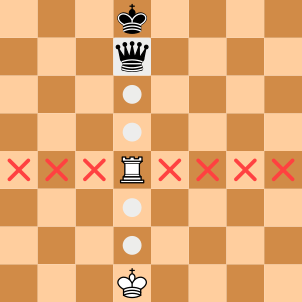
At the movement the process is, get the list of all the possible moves, look through them all and see if any of them are invalid, and if so then I remove them from the list. I want to change this so that instead of removing the invalid move, I just mark the move as invalid. It is then up to whoever uses the move information to handle a move that is invalid (show it to the user somehow).
I therefore need to change the Move object by adding a new "invalid" property.
Should I call it "valid" instead?
Another interesting naming dilemma.
The value of "invalid" is going to be false for most of the time, but the value of "valid" is going to be true most of the time.
You would expect the move to be valid most of the time and only invalid on rare occasions.
None of these thoughts are really helping me to pick one.
I don't want to know if the move is valid, but I do want to know if it is invalid.
Maybe that's the way to think about this.
The invalid property has its own getter and setter.
This allows a move object to have its invalid state set after it was created.
I have also added some extra testing to make sure I haven't broken anything.
Now that I can set a move as invalid, I need to change the function that processes the list of possible moves. Before I was removing invalid moves, but now I want to keep them.
I am no longer moving through the list of moves in reverse order.
Also, if the board is in check after the move is performed, then it is marked as invalid and I skip the following checks and just move on to the next move in the list.
To see if a move puts a king in check, I am using the functions _inCheck and _inCheckmate, but these do not yet exist,
so I guess this will be my next task.
Making Moves
I need to create a function that works out if a move puts a player into check. Well, I don't just need to make sure a move puts the same player into check, making that move invalid, but I also want to know if the move puts the other player into check. I think there are two steps involved. The first is to make the move, that is, change the pieces on the board, and the second step is to see if the king is under attack.
The question I now must answer is, where do I create this "make move" function?
It seems like something that would be used not only by the move calculator class, but elsewhere, in other future classes within the chess library and externally too.
I could keep the function within the move calculator class, but it doesn't feel like the right place for it, it is not calculating the move, it is making it.
I could add it to the Move class, but that feels wrong too, it contains information about the move, it doesn't find the move nor make it.
I think the best thing to do is to create a new class that performs the tasks required to make a move on a board. But now I'm left with another problem, what to call it, and what is the name of the function within it that performs the move? There should be a word for how hard it is to name things.
How about "move-tools", no, it's too generic, it doesn't relate to anything specific, except moves maybe. I do feel like it needs to start with "move-" but I am not sure about the next word. Perhaps "move-maker", "move-board", "board-move", "move-control", "move-adjustment" or "move-play". I feel like I was doing so well naming things up to now. I think I'll go with "move-maker", as it ends with "er" similar to "move-calculator". Though thinking about it, I could just rename them both to "move-make" and "move-calculate"? When you ask yourself "what does the class move-maker do", the answer seems easier to come up with than when you ask the same question using "move-make".
That's settled, "move-maker" it is, but what about the function that performs the move, what is that called? I was thinking about the function "perform", or "do", but I have gone with "play".
This is the class and its function.
I need to add the rest of course, but I have done the hard part, naming the class and its function.
The play function takes the parameters, board and move, which I think is the only information I need.
It will create a clone of the given board, perform the move task, adjust the pieces on the cloned board, and then return the new board object.
I believe this function will be called multiple times for the same board, therefore I do not want the parameter board object to be changed by the move,
but for a new board to be created and returned, which contains the result of the move.
I am going to use the same approach I used in the move calculator, by splitting the task into smaller parts. Instead of one large function dealing with each type of move, I will have a function for each one.
I am first creating the clone of the board, checking which move type it is, performing the play related move, and then returning the clone object. I can also test each of the private functions on their own.
The steps needed to make a simple move only require two parts. The first part is to set the square on the board, located using the "to" row and column values, with the piece value. The second part is setting the board location, using the "from" row and column values, to an empty piece. I am basically setting its new location and clearing wherever it was before. There is nothing else I need to do.
Before moving on to the next play function, I want to create the testing functions. But how do I test this type of thing? I need to check the locations on the board to make sure they contain the right pieces, and I also need to check there are no extra pieces added or removed. I am going to need a function that counts the number of pieces on a board.
This is part of the TestMoveMaker class and is only called by other private internal testing functions.
I did believe adding the board's squareList property was not required and something that would not be needed, but it does look like it is useful after all.
I'm glad I put it in.
This is what the test looks like.
I create the move, the board, and then call the _playMove function.
After doing this I check the board has changed the location of the white rook piece.
I then count the number of empty pieces on the board and then just to be double sure, I count the number of white rooks too.
The _playCapture, _playPromotion, _playCapturePromotion functions do exactly the same thing.
Though, the testing for each one is different.
When it comes to castling there are two steps that need to be made. The king's new location is set, while its old place is cleared. The same thing is done for the rook too.
The final play function is for the en passant move.
This has the extra step of removing the pawn that was involved with the en passant.
All together these play functions are not as complex as I first thought they would be.
I could remove all of them and put the code into one play function, but even though they don't do much, there is a certain logic in having them separated in this way.
These play functions are missing something.
They do not set any of the extra board properties.
When the white king is moved, I need to set the board's whiteKingMoved property.
There are other things like this I need to look out for and set.
I am going to add a function that handles all this type of thing.
This will be called within the play function, right after the move has been performed on the board.
There are a number of different board properties that need looking into.
The next player needs to be set. If a white piece has been used, then white was the current player, and therefore, the next player will be black. I am just swapping the player between white and black.
This may seem a little odd at first. I haven't even worked out if a move is in check or checkmate yet, so how can I set this here? While calculating the moves and looking if a move is valid or has put the other player into check, this really does nothing, as both values will always be false. But, if I call this function after I have created all the possible moves, then each move will have those check and checkmate values set. It is here for when I want to use a move I have already calculated.
I then want to check if either the white or black king has moved.
I do not care if it was a simple move, capture or a castle (the other move types do not involve a king), only if a king was used.
If a white king was used, then I can set the board's whiteKingMoved property to true.
The same goes for the black king.
I want to check if the rook has moved. I only want to do this check when there is a simple move or a capture. If the piece moved was a white rook, then I need to see if it was the rook on the king's side or the queen's side. The same is done if the piece is a black rook.
When the move is a castle then I need to check which of the rooks has been moved. Was it the king's rook or the queen's rook?
The final part is to check for the en passant column. As this value should only last one move, I always set it to its default value. After this I need to see if a pawn has moved two spaces from its starting location. If this is the case then I update the en passant column value so that it can be used on the next move.
Hopefully I have covered everything I need and not missed something important. I need to make some adjustments to the testing code, so that all the state changes are performed correctly. At this point I have forgotten what I was doing and need to go back and see what it is that I need to do next. This project is starting to grow, so I need to make sure I don't get lost within it.
In Check
I created the move maker class to help me create the _inCheck function.
I have to make a move and then see if the current player has been left in check.
I have done the first part, making the move, all I need to do now is work out if the king is under attack. But how is this done?
I could look at every opposition piece on the board and see if it could attack the king. The problem with this is that I would be looking at pieces that are nowhere near the king and wouldn't be able to attack it. I would be wasting processing time and other resources. I think the better method is to start with the king and work my way out and round it to see if there are any opposition pieces in range that could be attacking it.
I start by making the move on the board. I then want to set the player's king row and column locations, but at the moment I am not sure how to go about this. Afterward I will perform a check on the different types of pieces, looking at the knight, rook (and queen), bishop (and queen again), and then the pawn. Because the queen can move in the same directions as the rook, I check the queen (moving vertically and horizontally) at the same time as the rook. I also do this when looking at the bishop.
The question I am now thinking about is how I get the current location of the white or black king.
There is only one king for each player on the board, so I could just scan through every row and column looking for the piece needed.
I could constantly record the locations in the Board object, updating it every time the king is moved.
Also, would I ever need to know this somewhere else later, should I create a function that is used in other classes, or even externally?
I have decided to go with a simple search method that doesn't require me to call a function. If I were to use some type of function then I would have had to try to return an object containing both the row and column values, which didn't feel like something I wanted to do (as it's a bit ugly).
The first inCheck function I am going to create is the one looking at knights.
The starting part is to set the piece I am looking for, which is the other player's knight.
I then create a list of knight move adjustments. This helps when calculating the possible knight positions surrounding the king. I then loop through all 8 of these possible knight locations around the king, though I do need to make sure they do not sit outside the range of the board. Once I have a knight location, I get the piece on the board at that location and see if it is the knight piece I am looking for. If it is then the king is in check by the other player's knight. If none of the possible knight locations contain the piece I am looking for then I can say that the king is not in check (by a knight).
Testing requires me to look at each of the knight's possible attack locations. I also test what happens if there are no knights attacking to make sure it is not returning true when it shouldn't. The tests are straight forward but there are a lot of them.
I now move on to testing the rook and queen, looking vertically and horizontally from the king's location.
This is similar to the _listRook function, in that I move left, right, up and down directions, looking for either a rook or a queen.
I start off by setting the rook and queen pieces I am looking for. These are the other player's attacking pieces.
This is followed by looping through the 4 directions, and for each one moving along looking for the attacking pieces and stopping if it comes across a piece (i.e. it's not empty). If an attacking piece is found, then it just returns that the king is in check right away.
The same type of thing is done for the bishop and queen checks, but moving in a diagonally instead, and looking for a bishop and queen. The final check function is looking for pawns.
There are two sections, the first is for the white player, and the other, which is very similar, is for the black player (not shown). If the king is on the top row, then it cannot be under attack from a pawn, therefore I just stop there. Making sure the king is not on the left edge of the board, I can look to see if there is a black pawn above and to the left of the king. I do the same but on the right edge of the board. These are the only attacking locations a pawn can be against the king.
The _inCheck function is now complete.
It was a lot easier than I first thought it was going to be.
I did create a large collection of tests for it too.
When things move along without any issues, I do start to think something is wrong.
I must have overlooked some, surely?
In Checkmate
Is the name of the function alright? You can be "in check" but are you really "in checkmate"? The game or player is lost or won by "checkmate". I'm not sure. Maybe a better name for the function could be "isCheckmate", "isCheckmated", or "checkmated"? Half my job as a developer is coming up with good names for stuff.
The question I now have is, how do you work out if a move has put the other player into checkmate? These are the steps I think need to be taken.
- Make the move on the board.
- Is the other player in check. If not, then stop here.
- Make a list of all the possible moves the other player can now make.
- If all the moves are invalid, that is, all the moves would leave their king under attack, then it is checkmate.
This is somewhat theoretical and at the moment I believe it is correct. I would need to do some testing, but even then, I can't be 100% sure.
After trying to write the code for this, I am getting my head stuck inside some type of circular dependency.
Inside the _listForPlayer function it creates a list of possible moves that player can make, then while processing the checks,
it ends up needing to call _listForPlayer again to see if the other player is in checkmate.
I don't like the look of this.
It could go on forever. I need to rethink how to do it.
-
Inside the
_processCheckfunction I have already checked if the move puts the opponent player into check. Therefore, I do not need to do that again. Calling_inCheckmateassumes the player is already in check. - Make the move on the board.
- For each opponent piece on the board, create a list of all the possible moves, which can be done using the
_listfunction. - For each of the moves, check if it is valid, which is done by looking to see if the move puts the player's king in check.
- If any move is not invalid, then that move has stopped the king being in check, so I can stop looking and just return false, not in checkmate. This way I do not need to check every move for every piece.
This is the outer part of the function so far. I make the move on the board, then loop through every piece on the resulting board, and check if the piece belongs to the opponent. I only want to look at the other player's piece at this point.
Inside I want to create a list of all the moves the opponent can make with that piece. Then I look at every move and see if it puts the other player into check, or keeps them in check. If not, then I can assume the opponent is not in checkmate.
This seems simple enough, but after a quick test it doesn't work, and I cannot work out why. To help me understand what is going on, I need to better see what the board looks like. I can debug it and look at all the variables, but I want to see what the board looks like with the pieces on the board, instead of just a list of squares. I need to create some type of debug print function.
Debugging
The function I want to create will only be used from time to time while I am hunting down bugs and other problems.
I could add a "toConsole" function to the Board class or maybe create a DebugTools class that I can use for other debugging related tasks.
I do find adding this try of thing breaks the perfect design and adds unnecessary code.
It isn't testing and it isn't really part of the chess library, it's more of a tool I use while developing.
I think the best thing to do is create a "debug.js" file and add tools and functions in there. I'll only import this file and use its functions, as and when needed, which means it will be included in the chess library but never used (by anyone other than me).
This is the test I am using to check that the _inCheckmate function is working.
I am moving the white queen to the top of the board which puts the king into checkmate.
For some reason the result is false when it should be true.
The debug tool has the board before the move looking like this.
Everything looks correct so far.
But inside the _inCheckmate function I call _inCheck and inside this I use the debug tool to see what the board looks
like after performing the opponent move.
The queen should not be where it is. Also, it looks like the en passant column points to one of the pawns being moved. The debug tool is working nicely, but I'm not sure it's helping me all that much.
After slowly moving through the functions line by line I found a bug.
Inside the MoveMaker.play function I was doing the following.
I am calling the _playMove and other functions with the board parameter, when I should be using the clone object instead.
Why didn't my testing pick this up, I ask myself, because I was testing all the lower-level functions and not the main one.
I need to make sure I test all the functions in a class, not just the ones I think need testing.
However, things were still not working, so I added in some debug logging for the board within the _inCheckmate function,
inside the part where I loop through each of the opponent moves, checking to see which one it thinks is valid.
Thankfully there was one found.
It looks like moving the black king to the left is seen as valid, that is, the king is no longer in check, which is clearly wrong, but why?
Inside the _inCheck function I perform the move, creating the checkBoard object in the process,
but I am then using the board object to find the location of the king.
The end result is that I am checking the wrong king location on the board, which is being blocked by the real location of the king.
After fixing this my tests worked.
But why didn't my _inCheck testing find this bug in the first place?
Do I have other hidden bugs waiting for me?
Testing Move Calculator
I have finally come to the end of the move calculator section, after what seems like endless amounts of code and even more testing,
I can now move on to the next part, whatever that is.
But I still want to make sure the main external functions are working correctly, which means even more testing.
The two main functions that are used with the move calculator are listForSquare and listForPlayer,
all the other functions are private, but have still been tested, which should make testing these other functions error free (I hope).
All the tests will be performed on a board that is set up with the standard pieces in their starting locations for a new game of chess. To help me with this I have added a function that creates a board and sets all the pieces on it. This is then used for each of the tests I later perform.
The function creates the board and then places all the white pieces, then all the black pieces (not shown), and finally returns the board object.
The testing is very straightforward. I create the default board, get a list of possible moves for the given piece, then make sure the list exists, that it only contains 2 move items, and that both the knight moves are in the list. This will be done for many of the different pieces (white and black).
While testing I came across something I didn't think about before.
The listForSquare function will be used by other people, not just internally, and therefore it is possible it is given invalid parameters,
or is used in a wrong way.
Should I just allow the function to be used wrongly, or should I check the parameters are valid before using them?
The possible problems are as follows.
- What if the row and column are outside the board.
- What if the board's state is that the white player is next, but the row and column point to a black piece?
- What if the board is in checkmate?
I think I need to rewrite parts of the function to check the parameters. Make sure they are not being used incorrectly.
The changes made ended up being very simple. If there are any invalid parameters then I still want to return a list of moves, though it will be an empty list, and not throw an exception or return a null error value. This way the game can still be played even if the user does something wrong.
The first check is to see if the board has reached the checkmate state. After this I make sure the row and column are within the right limits. After getting the piece on the board, I see if it belongs to the current player. These are all the extra parameter checks I think are needed.